To get an overview about new functionality, read the Release Notes.
To learn about the necessary actions to update Livingdocs to release-2026-11, read on.
Attention: If you skipped one or more releases, please also check the release-notes of the skipped ones.
Webinar
- Feature Webinar Recording: TODO
- Feature Webinar Documentation: TODO
- Release Newsletter Subscription
System Requirements
Suggested
| Name | Version |
|---|---|
| Node | 26 |
| NPM | 11 |
| Postgres | 18 |
| Elasticsearch | 9 |
| OpenSearch | 3 |
| Redis | 8 |
| Valkey | 9 |
| Livingdocs Server Docker Image | livingdocs/server-base:26 |
| Livingdocs Editor Docker Image | livingdocs/editor-base:26 |
| Browser Support | Chrome >= 156, Edge >= 156, Firefox >= 159, Safari >= 27.2 |
Minimal
| Name | Version |
|---|---|
| Node (Server) | >=22.22.0 <23 || >=24.0.0 <25 || >=26.0.0 |
| Node (Editor) | >=22.18.0 <23 || >=24.11.0 <25 || >=26.0.0 |
| NPM | 10 |
| Postgres | 14 |
| Elasticsearch | 8 |
| OpenSearch | 2 |
| Redis | 7.4 |
| Valkey | 7 |
| Livingdocs Server Docker Image | livingdocs/server-base:22 |
| Livingdocs Editor Docker Image | livingdocs/editor-base:22 |
| Browser Support | Chrome >= 142, Edge >= 142, Firefox >= 144, Safari >= 26.0 |
Deployment
Before the deployment
Keep the Image Temporary Directory off tmpfs
mediaLibrary.images.resizingDirectory now also holds image uploads: every upload without use2025Behavior, and large GIF and WebP uploads with it. It defaults to the system temp directory, which in many containers is a tmpfs (RAM-backed) mount, where these files count against the memory limit.
Point resizingDirectory at a disk-backed volume. See Temporary Directory for sizing.
Move Projects and Documents to Embedded Designs
Run livingdocs-server release-2026-11-check-referenced-designs on release-2026-09 (v312.0.40 or later) and resolve everything it lists, as described in Removal of Referenced Designs. The database migration stops while a project still uses a referenced design, but it does not check documents. After the upgrade, a document whose current draft or publication still uses a referenced design can no longer be opened, edited, saved or published.
Rollout deployment
Migrate the Postgres Database
When upgrading, first run the database migrations. At Livingdocs, we run this command in an initContainer on Kubernetes.
The migration executes quickly, does not change the schema and does not lock any tables.
# 220-check-channels-without-embedded-design.js
#   Stops and lists the affected channels if a project still uses a referenced
#   design or a channel without a project config still exists. Such a channel
#   can no longer load a design. Reach out to your Customer Solutions contact before
#   upgrading if the migration stops.
livingdocs-server migrate up
After the deployment
No post-deployment steps are required after rolling out this release.
Rollback
No rollback steps are required for this release.
Breaking Changes 🔥
Removal of the Declarative Document Copy API
Code: LIBREAKING077
The Declarative Document Copy API has been removed. It was deprecated in release-2026-01. Documents are now copied with Document Copy Flows and transformed with Document Transform Flows. The server rejects a project config that still contains settings.copy, and the legacy copy dialog has been removed from the editor.
// before: projectConfig.settings
copy: [
  {
    source: {contentType: 'regular'},
    targets: [{contentType: 'print', label: 'Print Article'}]
  }
]

// after: runtime config
liServer.registerCopyFunctions([{handle: 'toContentType', copy: copyToContentType}])

// after: projectConfig.editorSettings
documentCopyFlows: [
  {handle: 'regularToPrint', copyFunction: 'toContentType', context: {targetContentType: 'print'}}
]

// after: content type 'regular'
documentCopyFlows: [{useDocumentCopyFlow: 'regularToPrint'}]
Content types without copy flows now use the default copy, which differs from the legacy simple copy in two ways:
- Properties of type
li-datetimeand properties whose handle containspublishordateare now copied. The legacy simple copy dropped them. - Editors can no longer choose a target content type or enter a title before copying.
Detect
Any of:
- In the project config, a
copyarray insettingswhose entries havesourceandtargets. Search for\btargets\band confirm each hit sits insettings.copy. A stored config keeps loading, but every update of it fails withLIBREAKING077untilsettings.copyis removed. - In server code, the feature API
li-document-copy. Search forli-document-copy.
Fix
- Remove
settings.copyfrom the project config. Recreate each copy target that is still needed as a copy flow, as shown above. Replace transform targets with Document Transform Flows. - Replace calls to the
li-document-copyfeature API with copy or transform flows. - When editors need to choose a target content type, enter a title or set metadata before copying, configure a copy flow with a
paramsSchemafor that content type. - When the default copy keeps a property that should not be copied, configure a copy flow for that content type that drops the property. Custom metadata plugins can set
removeDuringDefaultCopy: trueinstead. - To hide Copy for content types without copy flows, set
app.copy.simpleCopyEnabled: falsein the editor config.
For more information, see the Document Copy Flows documentation.
Removal of the document.copy and document.transform Server Events
Only the Declarative Document Copy API emitted the document.copy and document.transform server events, so they have been removed together with it. Copy and translation flows emit document.create and transform flows emit document.update. Notification action groups that still list document.copy or document.transform stay valid, but these actions no longer send notifications.
Detect
Any of:
- In the project config,
document.copyordocument.transformin theactionsofnotifications.actionGroups. - In server code, listeners for the
document.copyordocument.transformserver events.
Search for document\.(copy|transform)\b.
Fix
Remove document.copy and document.transform from the notification actions. Move server event listeners to document.create for copies and translations, or to document.update for transforms.
Removal of {liItem: 'mediaLibrary'} in the Main Navigation
Code: LIBREAKING081
The main navigation item {liItem: 'mediaLibrary'}, deprecated in release-2026-05 (LIDEP083), has been removed. The editor used to expand it into one entry per asset type (Images, Videos, Files). The server now rejects a project config that still contains it. Media library dashboards replace it.
The editor already hid these entries when the project had a dashboard with type: 'mediaLibraryDashboard' or mediaLibrary.showUi: false. Otherwise, projects without editorSettings.mainNavigation got them from the editor’s default navigation, and lose them without an error.
Detect
Any of:
{liItem: 'mediaLibrary'}inmainNavigation. Search for['"]mediaLibrary['"]. Hits on theeditorSettings.mediaLibrarykey, on server config reads, and on a group or custom navigation item withhandle: 'mediaLibrary'are unaffected.- A
mainNavigationGroupsentry whoseitemslists the handle of thatliItem, which is'mediaLibrary'unless the item sets its ownhandle. If'mediaLibrary'is the handle of a custom navigation item instead, the group is unaffected. - No
mainNavigationin the editor settings a project uses, which are often shared or merged from a common config, and no dashboard withtype: 'mediaLibraryDashboard'. Search for\bmainNavigation\bandmediaLibraryDashboard.
Fix
Remove {liItem: 'mediaLibrary'} from mainNavigation. For each asset type the project has media types for, configure a media library dashboard and a navigation item that references it. Leave out the other entries, they would open an empty media library. The previous entries showed the editor’s translated name of the asset type, so use a translatable label for the languages your editors use, and leave out pageTitle, which then defaults to that name. The icons below match the previous entries:
editorSettings: {
  mainNavigation: [
    {handle: 'images', label: {en: 'Images', de: 'Bilder'}, dashboard: 'images', icon: 'image-multiple'},
    {handle: 'videos', label: 'Videos', dashboard: 'videos', icon: 'play-box-multiple'},
    {handle: 'files', label: 'Files', dashboard: 'files', icon: 'file-multiple'}
  ],
  dashboards: [
    {handle: 'images', type: 'mediaLibraryDashboard', assetType: 'mediaImage'},
    {handle: 'videos', type: 'mediaLibraryDashboard', assetType: 'mediaVideo'},
    {handle: 'files', type: 'mediaLibraryDashboard', assetType: 'mediaFile'}
  ]
}
If a mainNavigationGroups entry lists the handle of the removed item in its items, replace it with the handles of the new navigation items.
Projects without mainNavigation need one now to show media entries. Because it replaces the whole default navigation, list every entry the project should keep, see Main Navigation.
Removal of the Fallback in Media Library Sidepanels and Dialogs
Media library sidepanels and selection dialogs only show the media library dashboards the project config references. The “Feed” fallback, which listed all media of an asset type grouped by media type, has been removed, together with the auto-generated full-page media libraries at /media-library/dashboard/:type. That URL now redirects to the first media library dashboard of the same asset type in the main navigation, otherwise to the home screen or the first dashboard. The back button of the media library detail view leads to the same place when there is no previous page.
Every entry point without a referenced dashboard is hidden without an error, also when the project has media sources or image collections. Every project has at least the image media type, so this affects most projects.
Detect
If editorSettings.mediaLibrary.showUi is false, only “Add image” is affected: in the document inbox of content types with inbox.mediaTypes, and in image collections.
Each entry point reads its dashboards from one property:
| Entry point | Property |
|---|---|
| Images, Videos and Files buttons in the toolbar, media library actions of images and videos in the document and the properties panel, “Add image” in the document inbox | contentTypes[].editor.images|videos|files.useDashboard |
li-image, video of li-video-reference | ui.config.useDashboard (new), in a document or data record otherwise editor.images|videos.useDashboard |
Poster image of li-video-reference | ui.config.posterImageUseDashboard, in a document or data record otherwise editor.images.useDashboard |
li-poster-image (media types only) | ui.config.useDashboard |
| “Add image” in image collections | imageCollections.useDashboard |
Helpers, metadata templates and environment configs often build the project config, so check the resolved config of every project and environment. The project config approval file often covers only the base config, and not every project has one. Print the resolved config instead, for example in server/ with ENVIRONMENT=<environment> node -p 'JSON.stringify(require("./projects/<project>/<environment>"))' > config.json. Some environments need more of their environment variables. Affected is any of:
- A content type that is not a data record, without
useDashboardfor an asset type the project has media types for. A missing key or a missingeditorcounts too. List the asset types withjq -r '[.mediaTypes[].type] | unique[]' config.json, then the content types per asset type, here formediaImage:jq -r '.contentTypes[] | select(.documentType != "data-record" and .handle != "liNewsAgencyReport" and .editor.images.useDashboard == null) | .handle' config.json. UsevideosformediaVideoandfilesformediaFile. - A metadata picker from the table without
useDashboard: in a data record withouteditor.images|videos.useDashboard, in a media type, or in theparamsSchemaof an include used in a content type withouteditor.images|videos.useDashboard. A media type has nothing to fall back to, and the server doesn’t validate include params. Search the content types, media types, the metadata templates they import, and the files withparamsSchemaforli-image|li-poster-image|li-video-reference. - A data record with
imageininbox.mediaTypesand noeditor.images.useDashboard. Search formediaTypesunderinbox. imageCollectionswithoutuseDashboard.- A
useDashboardorposterImageUseDashboardfrom the table that references a dashboard which is not amediaLibraryDashboardof the matchingassetType. The server now rejects such a reference when it validates the project config. Before, the dashboard only had to exist. - A content type with
allowedMediaTypeswhose dashboards have no matchingmediaTypebase filter. Search for the baremediaType, base filters can also use the older{type: 'mediaType', value: 'image'}form. - A picker with
uploadMediaTypeorposterImageUploadMediaTypewhose dashboards don’t list that media type. Search for[uU]ploadMediaType. - Custom editor code that opens
li-media-library-selection-dialogorli-media-library-panelwithout auseDashboardprop. Search formedia-library-(selection-dialog|panel)|MediaLibrary(SelectionDialog|Panel)and follow wrapper modules to their callers.
Fix
Configure a media library dashboard for each asset type the project has media types for, and reference it from every affected entry point. Leave out the other asset types, their toolbar button would open an empty library. Whether a toolbar button stays is a choice, for example leaving out editor.files hides the Files button when the file media types only serve a metadata plugin. Keep existing references as they are and only add what is missing. In a data record, editor.images|videos.useDashboard covers all its pickers.
Give the entry points that used the fallback their own sidepanel dashboards with {key: 'state', term: 'active'}, because the fallback listed all active media of the asset type. Don’t reuse existing dashboards for them: their base filters can hide media the fallback showed, and adding the state filter would also change them where they are used already, for example in the main navigation.
Apart from ui.config.useDashboard of li-image and li-video-reference, this config works since release-2026-05, so you can set it up before the upgrade. Without pageTitle, a sidepanel tab shows the translated name of the asset type:
editorSettings: {
  dashboards: [
    {
      handle: 'imagesSidepanel',
      type: 'mediaLibraryDashboard',
      assetType: 'mediaImage',
      baseFilters: [{key: 'state', term: 'active'}]
    },
    {
      handle: 'videosSidepanel',
      type: 'mediaLibraryDashboard',
      assetType: 'mediaVideo',
      baseFilters: [{key: 'state', term: 'active'}]
    },
    {
      handle: 'filesSidepanel',
      type: 'mediaLibraryDashboard',
      assetType: 'mediaFile',
      baseFilters: [{key: 'state', term: 'active'}]
    }
  ]
},
contentTypes: [
  {
    handle: 'article',
    editor: {
      images: {useDashboard: 'imagesSidepanel'},
      videos: {useDashboard: 'videosSidepanel'},
      files: {useDashboard: 'filesSidepanel'}
    }
  }
]
Results are no longer grouped by media type. To keep media types apart, reference one dashboard per media type with a mediaType base filter as a list, each is shown as a tab.
For the other cases from Detect:
- References to other dashboards: point them to a
mediaLibraryDashboardof the matchingassetType. allowedMediaTypes: dashboards don’t filter by it, and picking a disallowed media item fails. Add a matchingmediaTypebase filter, for example{key: 'mediaType', term: ['image', 'infographic']}, per asset type it lists. Content types with differentallowedMediaTypesneed separate dashboards.- Upload media types: reference a dashboard that lists the media type, otherwise media uploaded there can’t be picked again.
li-poster-imagerequiresuploadMediaTypeas soon as it has aui.config. Uploads used to go to the project’s default image media type, so use that one to keep the behavior, for exampleui: {config: {uploadMediaType: 'image', useDashboard: 'imagesSidepanel'}}. - Metadata templates: set
useDashboardon the media type’s own property, not on a shared template. A property’s ownuseDashboardwins overeditor.images.useDashboardin every document that uses the template. - Custom editor code: pass
useDashboard, for example from theui.config.useDashboardof the custom metadata plugin, and add it to the plugin’suiSchemaif it has one. The dialog and panel no longer read the content type’s dashboards and open empty without it. TheincludeHiddenMediaTypesprop has been removed.
Removal of mediaTypes[].editor
Code: LIBREAKING082
The media type properties editor.dashboard and editor.managementDashboard, deprecated in release-2026-05 (LIDEP080), have been removed. They configured the auto-generated media libraries. The server rejects any editor on a media type, also an empty editor: {}.
Detect
In the media type configs, the key editor. Search the media type files for ^\s*editor\b|managementDashboard.
Fix
Remove editor from every media type, and set up the dashboards from Removal of the Fallback in Media Library Sidepanels and Dialogs first. Move the settings into media library dashboards:
| Before | After |
|---|---|
editor.dashboard.baseFilters, editor.dashboard.displayFilters | baseFilters, displayFilters of the sidepanel dashboard, and of the navigation dashboard where editor.managementDashboard doesn’t set them |
editor.managementDashboard.* | the navigation dashboards from Removal of {liItem: 'mediaLibrary'} in the Main Navigation |
editor.*.card | useCardConfiguration of the dashboard, see Dashboard Cards |
For example:
// Before, in mediaTypes
{
  handle: 'image',
  type: 'mediaImage',
  editor: {
    dashboard: {
      baseFilters: [{key: 'mediaType', term: 'image'}],
      displayFilters: [{filterName: 'liDateTimeRange'}]
    }
  }
}

// After, in editorSettings.dashboards
{
  handle: 'imagesSidepanel',
  type: 'mediaLibraryDashboard',
  pageTitle: 'Images',
  assetType: 'mediaImage',
  baseFilters: [
    {key: 'state', term: 'active'},
    {key: 'mediaType', term: 'image'}
  ],
  displayFilters: [{filterName: 'liDateTimeRange'}]
}
Base filters in the old {type: 'sortBy', value: '-createdAt'} form can be moved as they are, they set the sort order of the dashboard. The sort property of a dashboard has no effect in sidepanels and dialogs.
Removal of mediaTypes[].hidden
Code: LIBREAKING083
The media type property hidden, deprecated in release-2026-05 (LIDEP082), has been removed. It excluded a media type from the fallback in sidepanels and dialogs. Media library dashboards without a mediaType base filter list every media type of their asset type, including the formerly hidden ones.
Detect
In the media type configs, the key hidden. Search the media type files for ^\s*hidden\b.
Fix
Set up the dashboards from Removal of the Fallback in Media Library Sidepanels and Dialogs first. Remove hidden. Add a mediaType base filter to every media library dashboard of the same asset type that should not list the media type, for example {key: 'mediaType', term: ['image', 'infographic']}. A filter like {not: {key: 'mediaType', term: 'posterImage'}} also hides the media, but the upload button of a full-page dashboard still offers that media type. Replace such a filter with a positive mediaType filter.
If the hidden media type stores poster images (the uploadMediaType of li-poster-image or the posterImageUploadMediaType of li-video-reference), configure a dashboard for it and reference it from the poster image pickers. Search for [uU]ploadMediaType, and skip this step if no hit names the hidden media type:
// In editorSettings.dashboards
{
  handle: 'posterImages',
  type: 'mediaLibraryDashboard',
  pageTitle: 'Poster Images',
  assetType: 'mediaImage',
  baseFilters: [
    {key: 'state', term: 'active'},
    {key: 'mediaType', term: 'posterImage'}
  ]
}

// li-poster-image
ui: {config: {uploadMediaType: 'posterImage', useDashboard: 'posterImages'}}

// li-video-reference
ui: {config: {posterImageUploadMediaType: 'posterImage', posterImageUseDashboard: 'posterImages'}}
Removal of contentTypes[].editor.images.mediaTypes
Code: LIBREAKING084
The content type property editor.images.mediaTypes, deprecated in release-2026-05 (LIDEP081), has been removed. It restricted image uploads, drops and the media library selection to the listed media types.
Detect
In the content type configs, mediaTypes inside editor.images. Search the content type files for mediaTypes and check whether the hit sits under images (inbox.mediaTypes and imageCollections.mediaTypes are unaffected).
Fix
Remove editor.images.mediaTypes. Restrict drops with allowedMediaTypes, and the media library selection with a mediaType base filter on the dashboard referenced by editor.images.useDashboard:
// Before
{
  handle: 'article',
  editor: {
    images: {mediaTypes: ['image', 'infographic']}
  }
}

// After
{
  handle: 'article',
  allowedMediaTypes: {mediaImage: ['image', 'infographic']},
  editor: {
    images: {useDashboard: 'articleImages'}
  }
}

// In editorSettings.dashboards
{
  handle: 'articleImages',
  type: 'mediaLibraryDashboard',
  pageTitle: 'Images',
  assetType: 'mediaImage',
  baseFilters: [
    {key: 'state', term: 'active'},
    {key: 'mediaType', term: ['image', 'infographic']}
  ]
}
Removal of Referenced Designs
Code: LIBREAKING085
Referenced designs, deprecated in release-2026-01, have been removed, together with static project configs, which always used a referenced design. A project’s design now always lives in its project config as an embedded design (designSettings and components). The design server, hosted designs and designs loaded from local files are gone.
A document whose current draft or publication still uses a referenced design can no longer be opened, edited, saved or published. Older revisions that were saved with a referenced design can no longer be rendered. The editor shows them as “design no longer available” in the history and in compare.
Detect
Either of:
livingdocs-server release-2026-11-check-referenced-designslists server configs, projects or documents. Run it before upgrading, on release-2026-09 v312.0.40 or later.- In server code, scripts or CI jobs, the
li-designsfeature,setCurrentDesignVersion, the CLI commandsdesign-set-activeortransform-to-configurable-channel, or calls ofcreateUserWithProject()orcreateSSOUserWithProject()withdesignNameordesignVersion. Search forli-designs|setCurrentDesignVersion|design-set-active|transform-to-configurable-channel|createUserWithProject|createSSOUserWithProject.
Fix
- Remove the server configs the check lists.
designLoader.cacheSizeanddesignLoader.cacheMaxAgestay. Only if the server offers self-service signup, setregistration.projectConfigto the project config that new signup projects start with, includingdesignSettings,componentsand at least one content type. The server validates it on startup and does not start when it is invalid or one of them is missing. - Migrate every project the check lists to an embedded design, following the migration guide. A project with a static project config needs a seeded project config with an embedded design instead.
- Move the documents the check lists to the embedded design of their project with the
change-design-name-and-version-to-latest-project-designcommand it prints, as described in Migrate old documents to embedded design. The command only changes the design reference, so the embedded design must contain every component of the referenced design. - Remove the use of
li-designsandchannelApi.setCurrentDesignVersion(). Publishing a project config that changesdesignSettingsorcomponentscreates the next design version. - Remove the calls to the CLI commands
design-set-activeandtransform-to-configurable-channel. Both have been removed without replacement. - Pass the project config of the new project as
projectConfigtoregistrationApi.createUserWithProject()andregistrationApi.createSSOUserWithProject()instead ofdesignNameanddesignVersion. - The editor ignores
designsApiin its config. It can be removed.
Drop of Support for Elasticsearch 7 and OpenSearch 1
Codes: LIBREAKING086, LIBREAKING087
Elasticsearch versions older than v8 and OpenSearch versions older than v2 are no longer supported. The drop was announced in release-2026-03, and the server now enforces it: it refuses to start against an older cluster. The minimal supported versions are Elasticsearch 8 and OpenSearch 2.
Detect
Either of:
- Request the root endpoint of the configured Elasticsearch or OpenSearch cluster (
curl <cluster-url>) and readversion.number. Elasticsearch below 8 or OpenSearch below 2 is affected. - The server fails at startup with
LIBREAKING086(Elasticsearch) orLIBREAKING087(OpenSearch). The check only runs when the cluster is reachable at startup.
Fix
Upgrade the cluster to Elasticsearch 9 or OpenSearch 3. Elasticsearch 8 meets the new minimum, but is deprecated in this release (see Deprecation of Elasticsearch 8), so upgrading straight to 9 avoids a second round.
Raised Minimum Node.js Versions
The minimum Node.js versions have been raised to match the requirements of their dependencies:
| Node.js | Livingdocs Server | Livingdocs Editor |
|---|---|---|
| 22 | 22.17.1 → 22.22.0 | 22.17.1 → 22.18.0 |
| 24 | 24.0.0 (unchanged) | 24.0.0 → 24.11.0 |
| 26 | 26.0.0 (unchanged) | 26.0.0 (unchanged) |
Node.js 22 is deprecated and will be dropped in release-2027-03 (see Postponed Drop of Node.js 22), so upgrading to Node.js 24 or 26 is better than moving to a newer Node.js 22 patch.
Detect
Either of:
node --versionreports 22.17.x-22.21.x for the server, or 22.17.x or 24.0.x-24.10.x for the editor.npm installon an affected version warnsEBADENGINE Unsupported engine.- An affected version pinned in
.nvmrc, theFROMlines of Dockerfiles, or CI job images. Search for22\.(1[7-9]|2[01])\b|24\.([0-9]|10)\b.
Fix
Upgrade to Node.js 24 or 26, or at least to the new minimum of your Node.js major version, and update the pinned versions alongside it: .nvmrc, the FROM tags in Dockerfiles, and CI job images.
Deprecations ⚠️
Postponed Drop of Node.js 22
Code: LIDEP084
The drop of Node.js 22 moves from release-2027-01 to release-2027-03. Node.js 22 reaches its end of life on 2027-04-30, which falls into release-2027-03. This gives projects one more release to upgrade. Node.js 22 was deprecated in release-2026-07.
Detect
Run node --version against the process running the server. A major version of 22 is affected, and an affected server emits LIDEP084 on every boot.
Fix
Upgrade to Node.js 24 or 26, and update the pinned versions alongside it: .nvmrc, the FROM tags in Dockerfiles, and CI job images.
Deprecation of Public API Version 2025-03
Code: LIDEP089-2025-03
The Public API version 2025-03 is deprecated and will be removed in release-2027-05, following the versioning policy: a version is deprecated 20 months after its release and removed six months later. Requests to it answer with a deprecation warning header.
This release also adds the Public API version 2026-11. From this release on, the available, deprecated and removed versions follow the schedule automatically with every release.
Detect
In project source code and in integrations calling Livingdocs, a request path starting with /api/2025-03/. Server-side, the deprecation is logged with the code above on every such request.
Fix
Migrate the integration to a newer API version, ideally 2026-11. Consult the Public API changelog for what each version in between changes.
Deprecation of the elasticIndex.maxCpu and elasticIndex.maxCpuFunction Server Configs
Codes: LIDEP092-maxCpu, LIDEP092-maxCpuFunction
The server configs elasticIndex.maxCpu and elasticIndex.maxCpuFunction are deprecated and will be removed in release-2027-05. Indexing no longer needs to pause based on the Elasticsearch CPU usage, because bulk requests that an overloaded Elasticsearch rejects with status 429 are already retried. With this release, the default of maxCpu changes from 80 to 0, which turns the CPU check off. Projects that don’t set maxCpu no longer pause indexing when the Elasticsearch CPU usage is high.
Detect
In the server config, maxCpu or maxCpuFunction under elasticIndex. Search for maxCpu|max_cpu and confirm each hit sits under elasticIndex. A maxCpu under import.jobs is a separate, already unused config. You can remove it as well.
Fix
Remove maxCpu and maxCpuFunction from the elasticIndex server config. There is no replacement. This includes maxCpu: 0. Removing it doesn’t change the behavior, because 0 is the new default.
Deprecation of publicApi.minimumApiVersion
Code: LIDEP093
The server config publicApi.minimumApiVersion is deprecated and will be removed in release-2027-03, together with the Public API versions v1 and beta. The config makes the server reject older API versions, even though they are still supported. This breaks cross-project content sharing: the requesting server can’t know the remote server’s minimum, and its requests are rejected with 410.
Cross-project content sharing now requests the Public API version of a year before the release (2025-11 in this release) instead of v1. Remote servers must therefore run a release at most a year older than the requesting server.
Detect
In the server config, minimumApiVersion under publicApi.
Fix
Remove minimumApiVersion from the publicApi server config. There is no replacement.
Deprecation of Elasticsearch 8
Code: LIDEP094
Support for Elasticsearch 8 is deprecated and will be dropped in release-2027-05. Elasticsearch 8 reaches its End of Maintenance on 2027-01-15. The minimal supported version stays at 8 for now.
Detect
Request the root endpoint of the configured Elasticsearch cluster (curl <cluster-url>) and read version.number. A major version of 8 is affected. OpenSearch clusters are not affected.
Fix
Upgrade to Elasticsearch 9, the suggested version for this release.
Features 🎁
Smart Quotes Replace Apostrophes
Editors cannot type the typographic apostrophe (’) on Windows with a German keyboard. The layout only types the straight apostrophe (’). Livingdocs already replaced it on paste, and now Smart Quotes also replace it while typing, for example O'Brien → O’Brien.
To enable it, set apostrophe in textFormatting next to quotes and singleQuotes. Without it, typed apostrophes stay unchanged.
textFormatting: {
  smartQuotes: {enabled: true},
  quotes: ['„', '“'],
  singleQuotes: ['‚', '‘'],
  apostrophe: '’'
}
Smart Quotes now also support locales. You can set quotes, singleQuotes and apostrophe for each language. If a document is in that language, Smart Quotes use these values instead of the ones at the top level. Pasting already worked this way.
For more information, see the Smart Quotes documentation.
Images in News Agency Reports
News agencies often deliver images along with their reports. News agency reports can now include them, and editors see them in a collapsible “Images” section when they open a report on a news agency screen or in a notification.
Hover over a thumbnail to jump to its media library entry. On news agency screens, you can also open the images in a lightbox and click through all images of the report.
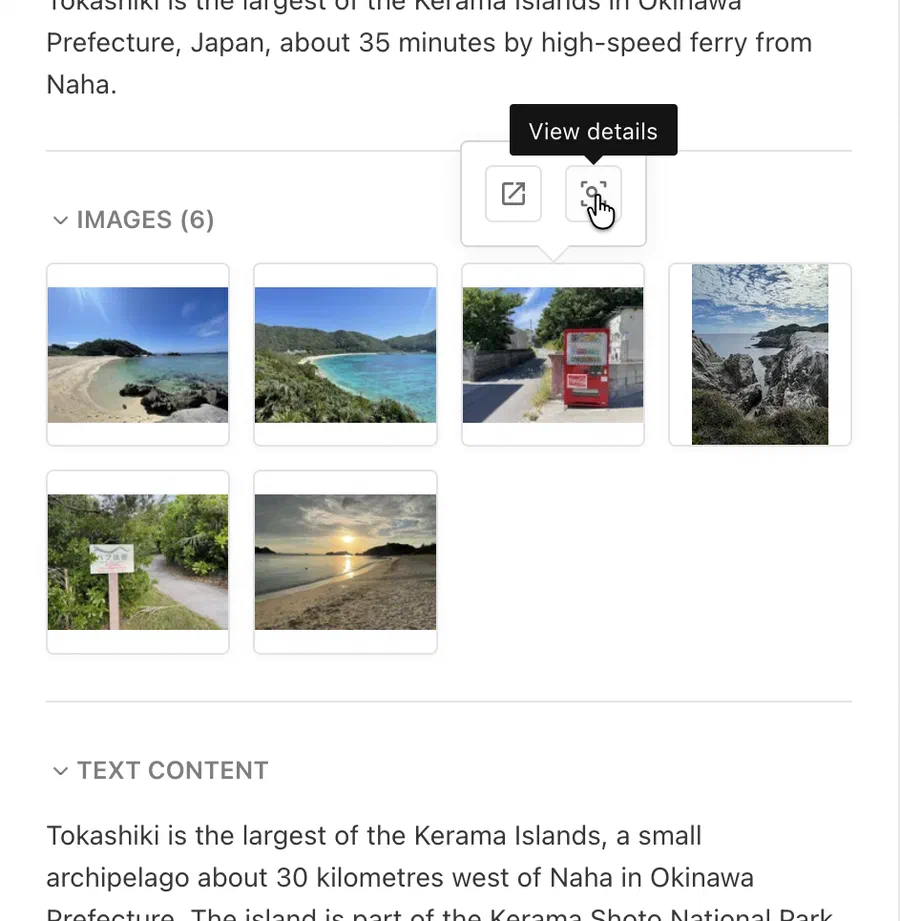
The Images section is available automatically. Images are imported as image components with an optional caption and source, and reference existing media library entries.
 Your news agency function decides what happens to images when a report is copied into an article. Make sure it handles
image components before you import reports with images.For more information, see the News Agencies documentation.
New Navigation
The main navigation has been redesigned. It is wider, easier to scan, and gets editors to the screens they need faster:
- Search. A filter field narrows the navigation down to matching entries. Collapse or expand all groups with one click.
- Favourites. Mark single entries or whole groups as favourites. They are collected in a “Favourites” section at the top and saved to the user account, so they follow editors across browsers and devices.
- Keyboard navigation. Move through the entries with the arrow keys, open a group or screen with Enter, and close the navigation with Escape.
The new navigation is available automatically. No configuration is required.
Unmodified Images Served as Stored
An image without modifications is now delivered exactly as it was uploaded, instead of a re-encoded copy. It keeps its full quality and dimensions, including every page of a multi-page TIFF, and the server no longer has to decode it.
- Downloads in the editor. Downloading an image without modifications, crop or width returns the stored file. Previously, every download was re-encoded and capped at 8000 pixels wide. This applies automatically.
- Public API. From API version
2026-11,GET /mediaLibrary/serve-image/:keyreturns an image without modifications as stored. Earlier API versions are unchanged. To opt in, change the API version in your image service’s base URL, for example the Imgix source. Images with modifications such as redactions or colour corrections are processed as before.
A stored image keeps its EXIF orientation as a tag instead of having it applied to the pixels. Imgix and modern browsers apply the tag. A consumer that ignores it, or that sizes the image from the entry’s width and height, shows rotated camera and phone photos sideways. Check your consumers before switching to 2026-11.This applies to projects with mediaLibrary.use2025Behavior enabled, which store images as uploaded. Without it, images are transformed when they are uploaded, and the transformed file is served as before.
For more information, see the Public API changelog.
More Robust Image Processing
Large animated GIFs and WebPs could exhaust a server’s memory, and bursts of uploads or uncached variants slowed down other requests. Image processing now bounds the memory and threads it uses. This is available automatically.
- Large animations. GIF and WebP uploads are no longer limited to 10MB, and are read from disk rather than memory.
- Total resolution limit. The new
processing.maxTotalResolutionrejects animations above 200 megapixels across all frames by default, which keeps one animation to roughly 1GB of memory. - Concurrency. At most
UV_THREADPOOL_SIZE - 1images are processed at once, 3 by default. On containers with more than 2 CPUs and enough memory, setUV_THREADPOOL_SIZEto one more than the CPU limit. - Timeout. Processing a single image is limited to 3 minutes.
- AVIF is encoded faster, for a slightly larger file. Without
use2025Behavior, AVIF uploads are stored that way. - Error messages. The editor explains why an upload was rejected.

Some images that were processed before are now rejected:
- Animations above
maxTotalResolution. With the default, this includes dense animations of roughly 4.5MB to 10MB. Raise the limit to accept them. Animations already in the media library are not affected. - Images that take longer than 3 minutes to process.
For more information, see the Image Processing Memory and Temporary Directory documentation.
Fast Image Processing
Images can now be processed with @livingdocs/image instead of sharp. sharp holds a whole image in memory, which limits how many large images a server can process at once. @livingdocs/image processes images in strips: in our benchmarks it was 3× faster and needed 8× less memory (medians over 76 edits). The gains grow with image size, so they matter most for projects with a high processing.maxResolution: rotating an extreme 228 MP photo took 0.15 s and 6 MB instead of 2 s and 1.6 GB. Processing limits itself to half of the container’s memory. sharp stays the default.
This feature is experimental and only available by agreement with Livingdocs. Once it is available to your project, enable it with:
mediaLibrary: {
+  useFastProcessing: true
}
On Linux x64, it needs a CPU with AVX2 support (x86-64-v3). Your npm token also needs access to the private package @livingdocs/image.
For more information, see the Fast Image Processing documentation.
Document Translation Flows
Projects can now decide how documents are translated, for example to machine translate a new language version instead of duplicating the source document. Translations keep working without configuration. For a custom translation, register a translate function and reference it in the project config:
// runtime config
liServer.registerTranslateFunctions([{handle: 'machineTranslation', translate}])

// projectConfig.editorSettings
documentTranslationFlows: [{handle: 'deepl', translateFunction: 'machineTranslation'}]

// content type
documentTranslationFlows: [{useDocumentTranslationFlow: 'deepl'}]
Translation flows replace the translation of the Declarative Document Copy API, which has been removed in this release. Compared with it, the title is no longer prefixed with “{language} translation of”, and metadata properties whose plugin is marked with removeDuringDefaultCopy are no longer copied.
Reach out to your Customer Solutions contact for help getting started.
For more information, see the Document Translation Flows documentation.
Vulnerability Patches
We are constantly patching module vulnerabilities for the Livingdocs Server and Livingdocs Editor as module fixes are available. Below is a list of all patched vulnerabilities included in the release.
Livingdocs Server
No known vulnerabilities. 🎉
Livingdocs Editor
No known vulnerabilities. 🎉
Patches
Patches typically fix bugs and apply improvements within the current release. Keeping your deployment up-to-date with the latest patch version means you benefit from those fixes. No explicit action is required per patch — bumping the version is enough.
Livingdocs Server Patches
- v317.0.14: fix(deps): update dependency @livingdocs/framework from 34.3.18 to v34.3.20
- v317.0.13: fix(deps): automatically patch Node.js vulnerabilities
- v317.0.12: fix(media-library): use the external id index when looking up entries without a systemName
- v317.0.11: fix(media-library): limit fast image processing to the LIFEAT014 customer feature
- v317.0.10: fix(tasks): keep news agency reports on their design when changing the project design
- v317.0.9: fix(deps): update dependency @livingdocs/framework from 34.3.17 to v34.3.18
- v317.0.8: fix(media-library): make @livingdocs/image an optional dependency
- v317.0.7: fix(dashboards): enable the planning calendar for faz (LIFEAT013)
- v317.0.6: fix(factories): stop requiring the unpublished test/conf/channels
- v317.0.5: fix(access-control): pass dashboard.get policies on to the user
- v317.0.4: fix(deps): automatically patch Node.js vulnerabilities
- v317.0.3: fix(license-profiles): restore the completed license approval task when a re-request is no longer needed
- v317.0.2: fix(release-2026-11): set up the release branch
Livingdocs Editor Patches
- v131.0.15: test(planning-system): Cover moves to Done in the task board paging test
- v131.0.14: fix(media-library): Link media library card titles and keep card links from being dragged
- v131.0.13: fix(deps): update dependency @livingdocs/framework from 34.3.19 to v34.3.20
- v131.0.12: fix(workspace): Check the document version after the first realtime subscription
- v131.0.11: fix(deps): update dependency @livingdocs/framework from 34.3.18 to v34.3.19
- v131.0.10: fix(deps): automatically patch Node.js vulnerabilities
- v131.0.9: test(media-library): Cover the upload of an unsupported image type
- v131.0.8: fix(deps): update dependency @livingdocs/framework from 34.3.17 to v34.3.18
- v131.0.7: fix(draft-storage): Back off when the fetch after a conflict is stale
- v131.0.6: chore: Drop trailing blank line in kanban board model
- v131.0.5: test(proxy): reuse the upstream upgrade request in the host header tests
- v131.0.4: fix(deps): automatically patch Node.js vulnerabilities
- v131.0.3: fix(tasks): disable the request button of the license approval task
- v131.0.2: fix(deps): update dependency @livingdocs/framework from 34.3.16 to v34.3.17
- v131.0.1: fix(release-2026-11): set up the release branch


