Paragraph
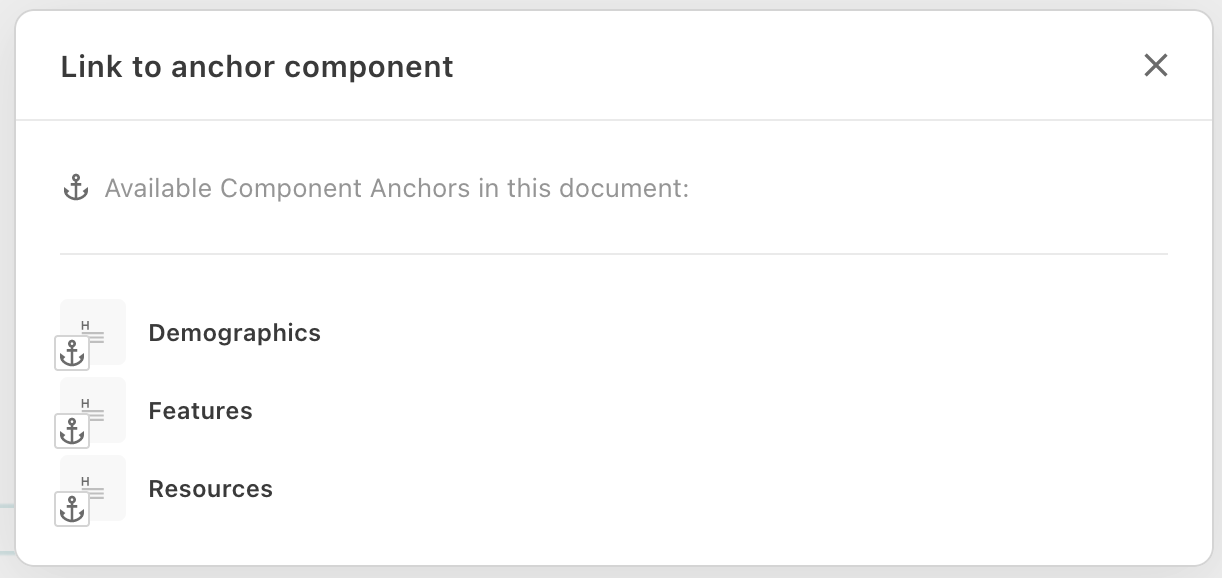
` } ``` ## Config Options ### `plainText`, `tagAllowlist` and `tagDenylist` Only one of these options can be used on a single directive. `plainText` does not allow any markup. `tagAllowlist` can be used to have exact control about the possible tags in content. `tagDenylist` can be used to filter out only a few specific tags and allow everything else. Note: Block level elements and elements like script and style are already prohibited in editable directives. Use the above options only to filter inline elements like `` or ``. These options also control which toolbar buttons are shown when a user selects text in the directive. For example, `plainText: true` will hide the entire formatting toolbar (bold, italic, links, etc.) which is useful for managing the editing experience of text components. - `plainText`: true | false, Ensures that a text can not contain any HTML tags (decodes HTML). - `tagAllowlist`: Only allows selected tags in the content, e.g. `"tagAllowlist": ['a', 'em']` would only allow a and em tags, but would remove e.g. a strong tag. - `tagDenylist`: Removes certain tags from the content, e.g. `"tagDenylist": ['a']` would remove all `` tags. ### Character length When a value is specified for at least one of the four character length properties the editor will display an inline counter just below the directive, and a panel in the sidebar. The editor will still save the document if requirements are not met, but publishing will not be possible until the `minLength` and `maxLength` requirements are satisfied. Any combination of these four properties can be used, but there values should be in an order where `minLength <= recommendedMinLength <= recommendedMaxLength <= maxLength`. `minLength`, number Defines the minimum length in characters that the text must contain. Use a value of `1` to make the content required. Publishing will not be posible if the value is not reached. `maxLength`, number Defines the maximum length in characters that the text must contain. Publishing will not be posible if the value is exceeded. `recommendedMinLength`, number Defines the minimum length in characters that the text should contain. Use a value of `1` to recommend adding content. `recommendedMaxLength`, number Defines the maximum length in characters that the text should contain. 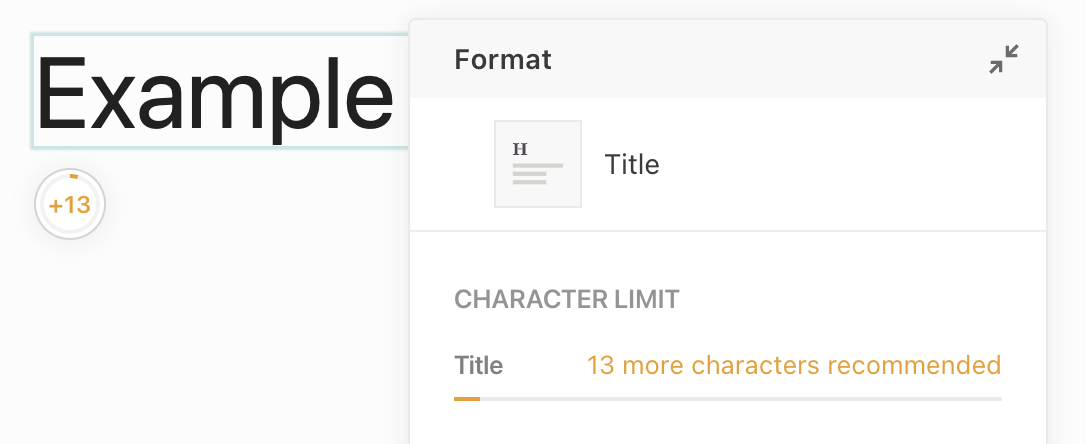 ### Other `excludeFromTextCount`, true | false By default, the text counter counts the text of all editable directives. With this option a single directive can be excluded. The value can be true or false (default). `placeholder`, string The default placeholder that is shown in the editor as long as the directive is still empty. So you don't have to use lorem ipsum ;) `optional`, true | false If optional is set to true, then the directive will only be rendered if a value is actually filled in, otherwise the tag is skipped. `anchor`, true | false If enabled, directive can be selected as direct link target for [Inline Links](/reference/project-config/editor-settings/llms.txt#inline-links) and in [li-tree](/reference/document/metadata/plugins/li-tree/llms.txt). The content of the directive will be shown in the selection dialog.